If your billing, stock records or accounting system becomes unavailable every time your internet connection drops, your ERP has created a new operational dependency instead of removing one.
That is why some businesses still need offline ERP software in Pakistan. An offline-capable ERP allows important business processes to remain available through a locally installed desktop system rather than requiring a continuous connection to a cloud server.
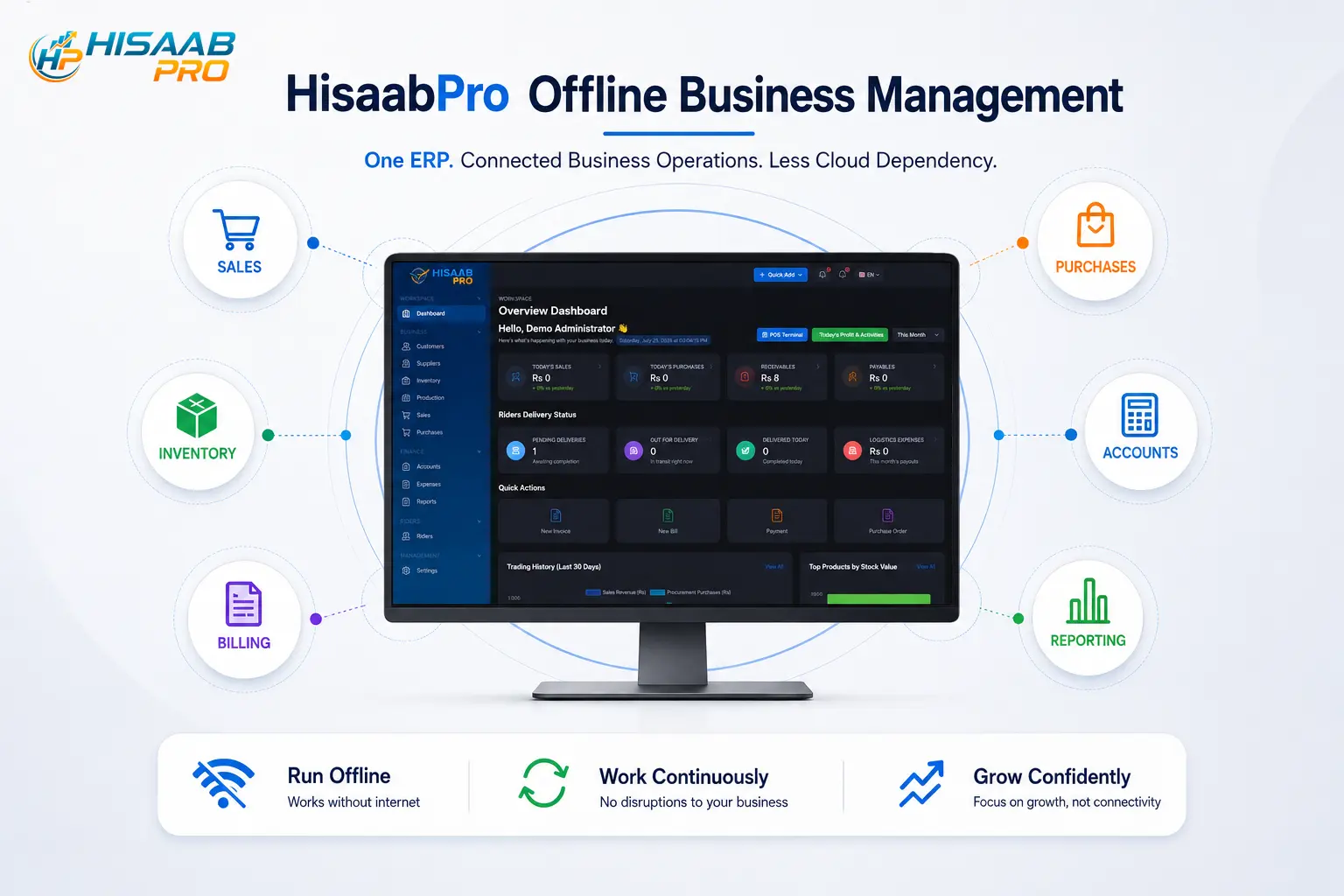
HisaabPro provides a desktop ERP option with Offline Mode for businesses that want integrated management without making every core activity dependent on an always-on internet connection.
But offline ERP is not automatically better than cloud ERP. The right choice depends on where your employees work, which processes must remain available during an outage, how you manage backups and whether your business relies on online integrations.
This guide explains where desktop ERP fits, how it differs from cloud ERP and what Pakistani businesses should evaluate before choosing an offline system.
What Is Offline ERP Software?
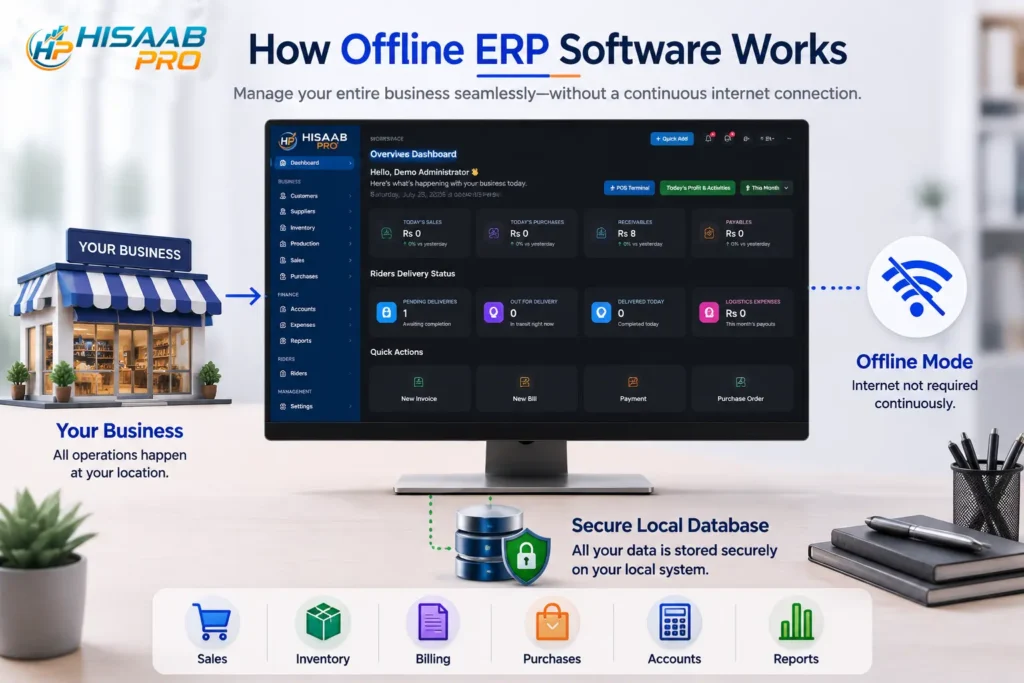
Offline ERP software is an enterprise resource planning system that can perform core business functions without requiring a continuous internet connection. It normally runs on a desktop computer, local workstation or business network, with operational data available locally rather than depending entirely on a remote cloud server.
This differs from a purely cloud-based ERP, where users normally access the software and its database through an internet connection. Pakistani ERP providers currently offer a mixture of cloud, desktop, on-premise and hybrid deployment models.
The important distinction is not simply where the application icon appears. A business should establish which transactions can actually be completed when the internet is unavailable.
Can staff create a sale? Check stock? Record a purchase? Review accounts? Produce a report?
Those are more useful questions than simply asking whether the software has a desktop version.
Why Pakistani Businesses May Need an ERP That Works Offline

Cloud ERP is useful when teams need to work remotely, manage multiple locations or access the same central system from different devices. Many Pakistani ERP vendors therefore position cloud access as a central benefit.
However, continuous cloud dependency is not ideal for every operating environment.
A retailer processing customers at a counter, a warehouse issuing stock, a wholesaler preparing invoices or an accounts team posting routine transactions may need those processes to remain available even when connectivity is interrupted.
For these businesses, the question is not whether cloud technology is useful. It is whether an internet outage should also become a business-operation outage.
An offline-capable desktop ERP can reduce that dependency by keeping designated workflows accessible locally.
Faster access to locally available business functions
With a locally deployed application, core activities do not necessarily have to wait for a round trip to a remote cloud application. The practical value is most noticeable where staff repeatedly work with billing, stock, sales or accounting throughout the day.
Greater operational continuity
If internet connectivity disappears, an online-only ERP can become temporarily inaccessible. A properly configured offline-capable ERP allows the business to continue designated local workflows instead.
More control over local infrastructure
Desktop or on-premise deployment can give the organisation greater responsibility for where the operational database, backups and workstations are maintained. This can be an advantage for businesses that deliberately want local control, although it also means the business must take backup and maintenance responsibilities seriously.
How HisaabPro Desktop ERP Fits This Requirement

HisaabPro is a ThoughtLynk ERP product designed around connected business processes. Its indexed product information describes a core ERP structure covering areas such as sales, stock, billing, purchases, accounts and reporting, together with role-based access for different users. Thoughtlynk
The Desktop Application and Offline Mode extend that proposition to businesses that do not want access to their ERP to depend entirely on a cloud connection.
That positioning matters.
A useful offline ERP should not become a collection of separate desktop tools. The purpose of ERP is still to bring related business processes into a connected system. The deployment method changes, but the underlying objective remains integrated business management.
When evaluating HisaabPro, businesses should therefore ask ThoughtLynk to demonstrate the exact workflows available during a disconnected session. For example, disconnect the test machine from the internet during the demo and perform the transactions your team cannot afford to stop.
That produces far more useful evidence than a feature list.
Offline ERP vs Cloud ERP: What Is the Difference?

Factor | Offline/Desktop ERP | Cloud ERP |
Core access | Can be designed to operate locally | Normally requires internet access |
Deployment | Local PC, workstation or server | Remote/cloud infrastructure |
Remote access | Usually more limited | Typically a major advantage |
Local internet outage | Core local workflows may remain available | Access may be interrupted |
Maintenance | More responsibility may sit with the business/provider locally | Infrastructure is commonly provider-managed |
Updates | May require desktop/local deployment | Often delivered centrally |
Data control | Greater local infrastructure control | Data hosted on provider/cloud infrastructure |
Multi-location use | May require networking, synchronisation or hybrid setup | Generally easier for distributed teams |
Best fit | Location-based operations needing continuity | Distributed or remote-access-heavy businesses |
These are deployment-model tendencies rather than universal rules. Modern ERP systems can combine elements of both approaches. For example, Pakistani implementation providers describe local-server installations that work without internet alongside cloud deployments, while some local ERP vendors offer both desktop and cloud options
Who Should Consider Offline ERP Software in Pakistan?
Offline ERP deserves serious consideration when internet-independent access is a genuine operational requirement rather than simply a preference.
It may be particularly relevant for a business where:
- Billing or POS activity must continue throughout the working day;
- Warehouse staff need continuous access to stock information;
- Accounting staff primarily work from one office;
- Most users operate from the same physical location or local network;
- Interruptions to connectivity regularly affect operational workflows;
- The organisation deliberately wants local infrastructure control;
- Remote access is useful but not the primary way staff work.
Retail, wholesale, distribution, warehousing and other transaction-heavy businesses are obvious examples, but deployment should always follow workflow requirements rather than industry labels.
When Cloud ERP May Be the Better Choice
Offline ERP should not be positioned as a universal replacement for the cloud.
If managers, accountants and employees regularly work from different cities, homes, branches or mobile devices, cloud ERP can provide significant operational advantages. Pakistani ERP providers commonly emphasize centralized databases, remote access and multi-location management for this reason.
Cloud deployment may therefore be preferable when:
- Remote access is essential;
- The organization operates several branches;
- Users frequently work outside the office;
- The business does not want to maintain local infrastructure;
- Online integrations are central to daily operations.
A hybrid approach may also make sense where the business wants local continuity for critical operations while retaining online capabilities for remote access, synchronization or integrations.
The correct question is not “Is cloud ERP or offline ERP better?”
It is:
“Which architecture creates the least operational friction for the way this business actually works?”
Offline ERP Does Not Mean You Never Need the Internet
This distinction is essential.
An ERP can support offline business operations while still requiring internet access for particular services such as software updates, remote support, off-site backup, online integrations, and synchronization or government systems.
Pakistani businesses should pay particular attention to FBR digital invoicing.
The Federal Board of Revenue states that notified registered persons using ERP, POS or another invoicing system must integrate their system for electronic invoicing through an authorized mechanism/licensed integrator. FBR’s published guidance also addresses business interruptions involving internet availability. Federal Board of Revenue
Therefore, “offline ERP” should never be interpreted as a promise that every compliance or external-integration process can remain permanently disconnected.
If your organization is subject to FBR digital invoicing requirements, ask the ERP provider specifically:
- How is FBR integration handled?
- What happens if connectivity fails?
- Which transactions continue locally?
- What must be transmitted after connectivity returns?
- Who is responsible for the integration and compliance configuration?
That separates operational offline capability from statutory online requirements.
What to Check Before Choosing Offline ERP Software in Pakistan
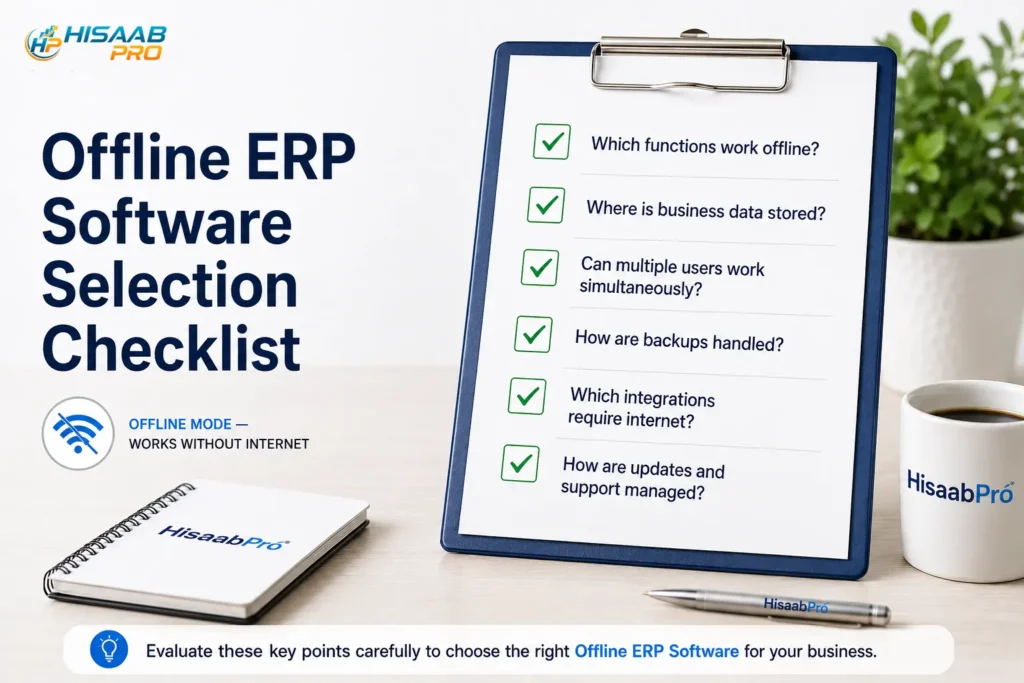
Do not evaluate desktop ERP solely from screenshots. Ask the provider to demonstrate these points.
1. Which functions actually work without internet?
Request a module-by-module answer. Sales, inventory, purchases, accounts, POS and reporting may have different connectivity requirements depending on the system.
2. Where is the database stored?
Understand whether data is held on one workstation, a local server, a local network or another architecture.
3. Can several users work at the same time?
A one-computer desktop application and a multi-user local ERP are not the same thing.
If several employees need the system, verify concurrent-user behaviour before implementation.
4. How are backups handled?
Local control also creates local responsibility.
Ask where backups are created, how frequently they are produced, whether an off-site copy is available and how quickly the database can be restored after device failure.
5. What happens when internet access returns?
If the system includes online components, understand how synchronization occurs and how duplicate or conflicting records are prevented.
6. How are permissions controlled?
Owners, accountants, managers and cashiers should not automatically see or change the same information.
HisaabPro’s indexed product information already references role-based access as part of its business-team architecture. Thoughtlynk
7. What integrations depend on internet access?
Check FBR, ecommerce, banking, payment gateway, WhatsApp, remote reporting and other external services separately.
8. How are software updates installed?
Understand whether updates are automatic, manually deployed or handled by the provider.
Test HisaabPro Offline Before You Decide
Request a HisaabPro demonstration and see how the workflows your business relies on behave when internet connectivity is unavailable.
How to Implement Desktop ERP Without Disrupting the Business
A reliable offline ERP implementation starts with processes, not installation.
Step 1: Identify your critical workflows
Map sales, billing, inventory, purchasing, accounts and reporting.
Mark the processes that cannot stop during an internet interruption.
Step 2: Define the offline requirement
Specify exactly what users must be able to create, edit, view and print without internet access.
This becomes your acceptance criterion.
Step 3: Confirm the deployment architecture
Establish which computers will use the system, whether a local server is required, how users connect and where the database resides.
Step 4: Clean existing data
Remove duplicate customer, supplier, product and account records before migration.
ERP implementation becomes harder when inconsistent spreadsheet or legacy data is imported without validation.
Step 5: Configure permissions
Create access around job responsibilities rather than giving every employee unrestricted system access.
Step 6: Create the backup and recovery process
A desktop ERP without a reliable backup strategy exchanges cloud dependency for hardware dependency.
Keep recovery planning within the implementation scope.
Step 7: Test the system offline
Do not accept “works offline” as a verbal claim.
Disconnect the internet connection and perform real operational scenarios.
Create a transaction. Check inventory. Generate the required document or report. Restart the application. Reconnect the system.
Step 8: Train staff for both normal and interrupted operation
Employees should know what they can continue doing, what they should postpone and what happens after connectivity is restored.
Is HisaabPro the Right Offline ERP for Your Business?
HisaabPro is worth evaluating if your business wants an integrated ERP system but does not want everyday operations to depend completely on cloud connectivity.
The product is positioned around practical ERP workflows for Pakistani SMEs, with an indexed architecture covering sales, stock, billing, and purchasing, accounts, reporting and access control. Thoughtlynk
The deciding factor should be how closely its desktop Offline Mode matches your real operating environment.
When requesting a HisaabPro demonstration, bring a short list of transactions your business performs every day and ask the ThoughtLynk team to run those processes with the internet connection disabled.
That turns “offline ERP” from a marketing claim into a measurable business requirement.
Final Thoughts
Choosing offline ERP software in Pakistan is not about rejecting cloud technology. It is about deciding whether continuous connectivity should be a prerequisite for your most important business operations.
Cloud ERP remains valuable for remote access, distributed teams and online integrations. Desktop ERP can be valuable where local continuity, predictable access and location-based operations matter more.
For many businesses, the strongest solution may combine both principles.
If continuous access to sales, inventory, billing, purchases, accounts or reporting is important to your business, explore HisaabPro Desktop ERP and ask ThoughtLynk to demonstrate exactly how its Offline Mode behaves under a real connectivity interruption.
Keep Your Business Running, Even When the Internet Doesn't
Explore HisaabPro Desktop ERP and find out whether Offline Mode fits your sales, inventory, billing, purchasing and accounting workflows
FAQ
Does HisaabPro work without internet?
HisaabPro’s Desktop Application includes the Offline Mode you specified for this content. The product demo should show exactly which configured workflows remain available while disconnected.
Is offline ERP the same as desktop ERP?
HisaabPro’s Desktop Application includes the Offline Mode you specified for this content. The product demo should show exactly which configured workflows remain available while disconnected.
Can several computers use offline ERP?
Not necessarily. Desktop describes where/how the application is installed. Offline describes whether operations remain usable without an internet connection. A desktop application can still rely on online services.
Is offline ERP safer than cloud ERP?
Yes, depending on the product architecture. Multi-user desktop ERP may use a local network or server, so concurrent access should be verified during implementation.
Can offline ERP integrate with FBR?
Integration is a separate capability from offline access. Businesses subject to FBR digital invoicing should verify the ERP’s integration approach and procedures during connectivity interruptions. FBR provides formal requirements for notified registered persons and licensed integration. Federal Board of Revenue
Blog Categories
- Custom Software (1)
- ERP (2)
- POS (1)
We respect your privacy. Unsubscribe anytime.